 senn-tech
Stalwart 1.0 migration on a homelab: the steps, the numbers and seven traps
Stalwart 1.0 has been out since 26 October 2026, and there is no update command for it. We migrated our mail server on 2 November 2026: five accounts, 119,605 messages, 7.4 GB of RocksDB, blobs in MinIO. This post records what we measured, which commands ran and where we got stuck.
In short: Moving from Stalwart 0.16 to 1.0 is a copy job done by the stalwart-migrate tool. It reads the old store read-only and writes accounts, mail and settings into a new, empty v1 store. The old server keeps running meanwhile and stops only for the last run. Afterwards every client needs a registered OAuth client.
The building blocks
Our mail server runs in a Proxmox VM with 6 GB of RAM, with Stalwart and Bulwark as Docker containers and the mail blobs in a MinIO bucket. A snapshot backup ran before each risky step.


Stalwart (stalw.art) and Bulwark (bulwarkmail.org) have no logo file at Simple Icons or Wikimedia Commons, so they appear as links only. How the stack fits together is covered in the EU mail stack built from Bulwark, Stalwart and Proxmox Mail Gateway.
What we measured
Every figure is our own measurement from 2 November 2026. Measurement carrier: a Proxmox VM with 6 GB of RAM, Stalwart 0.16.27 and 1.0.2, stalwart-migrate 1.0.5, the tool limited to 2 CPUs and throttled to 500 operations per second.
| Step | Duration | Result |
|---|---|---|
| VM backup, snapshot, incremental | 1 min 45 s and 5 min 51 s | no errors |
First run, 119,605 messages, 69,547 blobs | 778 s | 0 errors, server kept running |
Delta run | 32 s | 1 message picked up |
Final run --final, server stopped | 47 s | 0 errors, 0 mismatches |
Check verify --full | 18 s | 5 accounts, 0 mismatches |
| Pause in mail intake | about 2 min | gateways held the mail back |
How to do it
1. Backup and starting point: Take a VM snapshot first, then bring Stalwart to 0.16.27. The tool insists on exactly that version. If your image is pinned by digest, replace the whole image line in the compose file, because changing the tag alone leaves the old digest in place.
2. Answer the questions: prepare asks about the blob store, data categories, OAuth, new permissions and changed defaults, and it needs a terminal for that. We took the tool's recommendations and only set the blob mode to copy (see trap 6).
docker run --rm -it --user 2000:2000 \
  -v /root/stalwart-migrate/state:/state \
  -v root_stalwart_data:/var/lib/stalwart:ro \
  -v /root/securemailproxy/stalwart/config.json:/etc/stalwart/config.json:ro \
  stalwartlabs/stalwart-migrate:1.0.5 \
  prepare --source /etc/stalwart/config.json --state /state
3. Copy while the server runs: The target is a new, empty folder. The target config.json holds only the data store:
{ "@type": "RocksDb", "path": "/var/lib/stalwart-v1/" }
docker run --rm --user 2000:2000 --security-opt apparmor=unconfined \
  -v /root/stalwart-migrate/state:/state \
  -v /root/stalwart-migrate/target:/var/lib/stalwart-v1 \
  -v /root/stalwart-migrate/target-etc/config.json:/etc/stalwart-v1/config.json:ro \
  -v root_stalwart_data:/var/lib/stalwart:ro \
  -v /root/securemailproxy/stalwart/config.json:/etc/stalwart/config.json:ro \
  stalwartlabs/stalwart-migrate:1.0.5 run \
  --source /etc/stalwart/config.json --target /etc/stalwart-v1/config.json \
  --state /state --max-ops-per-sec 500
You can repeat the run as often as you like. Each further run copies only what changed.
4. Final run with the server stopped: Run docker stop stalwart, then the same command with run --final --yes --verify-full. The option --exclude spam_model keeps the spam model in a shared bucket from being overwritten.
5. Start the new server: In the compose file, set the image to stalwartlabs/stalwart:1.0.2, the configuration to the target config.json and the data folder to the new store, then run up -d. The container reported healthy after 40 seconds.
Seven traps
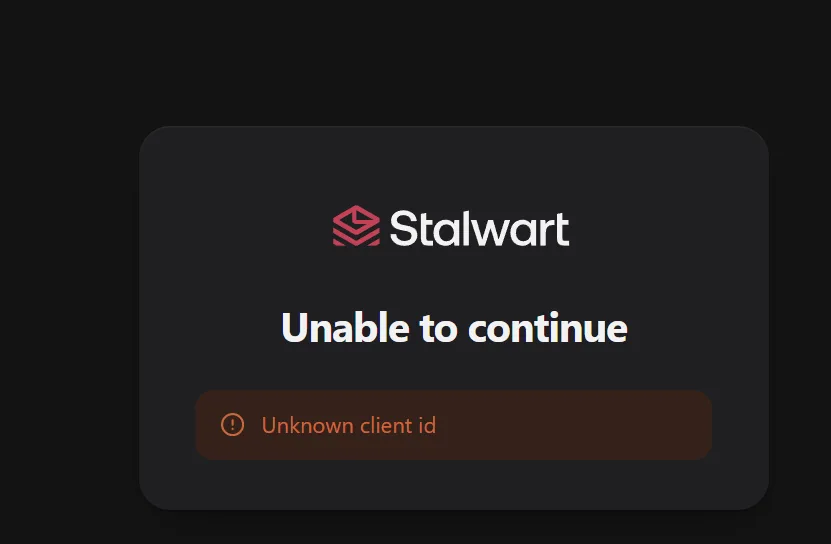
1. Unknown client id: Version 0.16 accepted any client_id at the OAuth login. Version 1.0 requires registered clients, and the prepare report warns about it. Bulwark uses the fixed ID webmail, and the login ended at Stalwart.
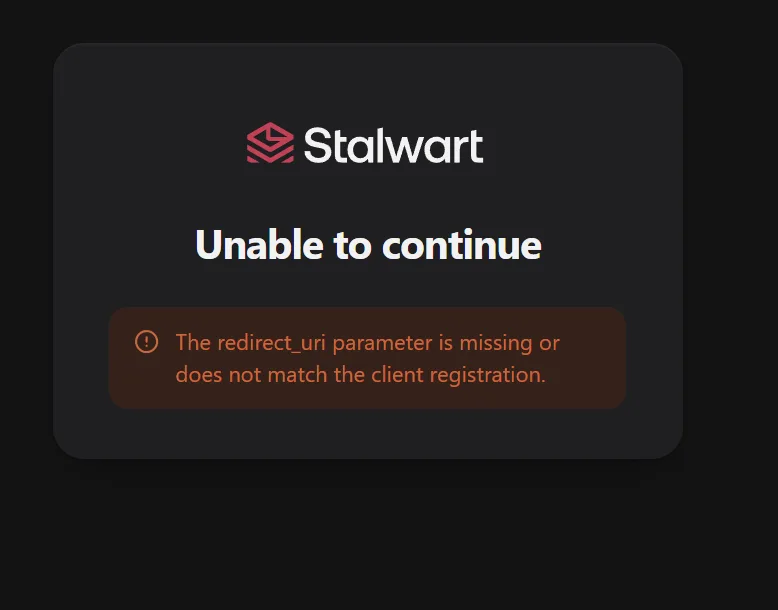
2. The redirect URI contains the language: After registration the error became redirect_uri parameter is missing or does not match. Bulwark builds the address as https://<domain>/<language>/auth/callback. We therefore register /auth/callback, /de/auth/callback and /en/auth/callback.
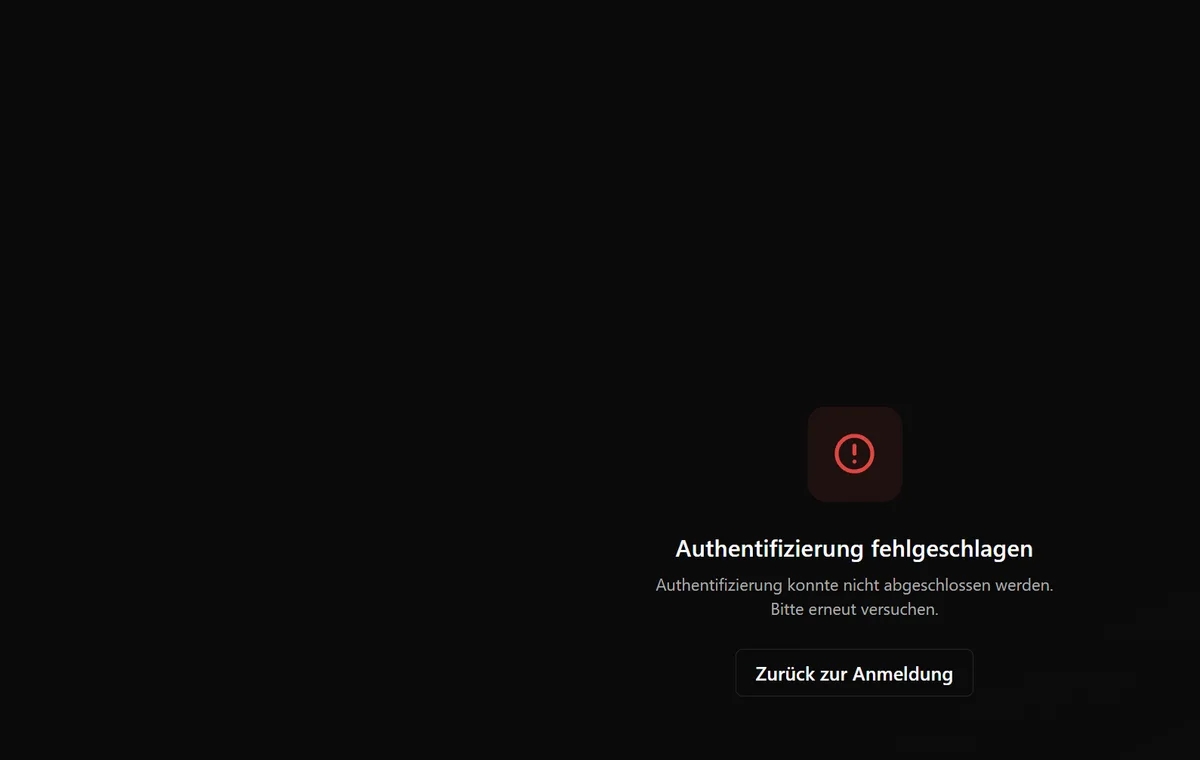
3. The client needs scopes: The login then worked, but Bulwark loaded no mailboxes and ended on an error page. The Stalwart log said The token scope does not allow this request. The client had no allowed scopes. The valid short names are mail, contacts, calendars and files. The server rejects the URN spelling from the discovery document as an invalid key.
The client is created with a JMAP management call, x:OAuthClient/set. Set fields such as redirectUris and scopes are objects with the value true, not arrays:
{"using":["urn:ietf:params:jmap:core","urn:stalwart:jmap"],
 "methodCalls":[["x:OAuthClient/set",{"accountId":"<admin-account-id>",
  "create":{"c1":{"clientId":"webmail",
   "redirectUris":{"https://webmail.example.org/en/auth/callback":true}}}},"a"]]}
A second call with update then sets scopes to {"mail":true,"contacts":true,"calendars":true,"files":true}.
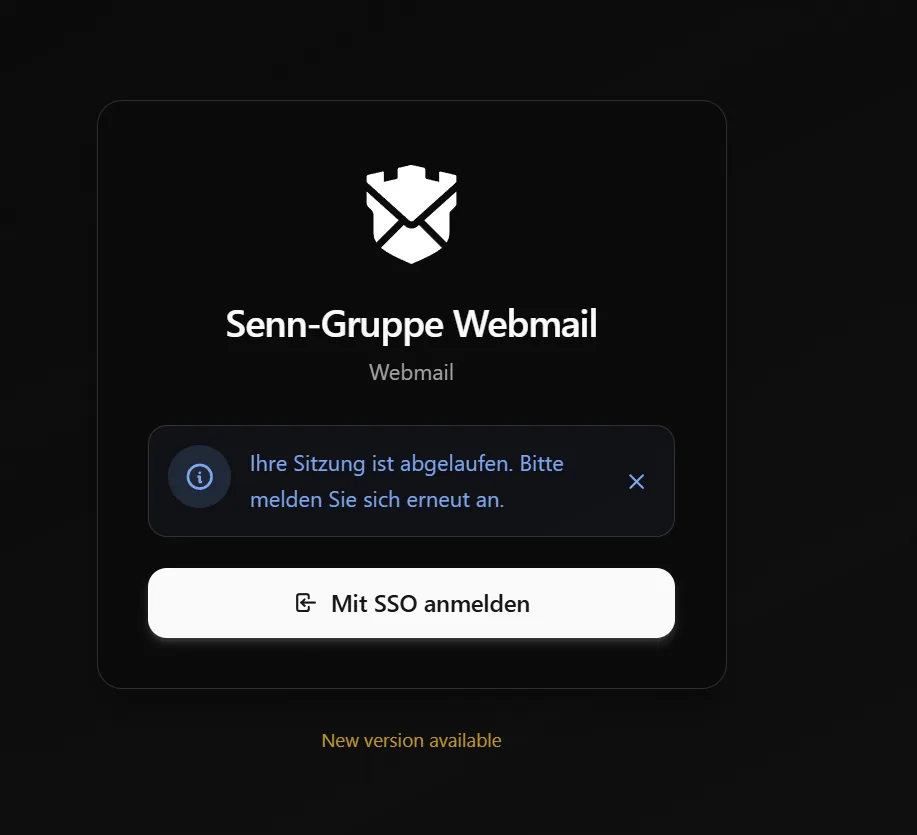
4. Old sessions are gone: Right after the cutover Bulwark said "Your session has expired". That is expected: the 0.16 tokens no longer count, so every user signs in once more.
5. Bulwark has to follow: According to the Bulwark 1.18.0 release notes, that is the first version that works with Stalwart 1.0. We were on 1.17.2 and moved to 1.19.1. That is the vendor's statement, and we did not test 1.17.2 against 1.0.2.
6. A shared bucket gets written to: In copy mode the tool wrote all 69,553 objects back into the production bucket under the same keys. Count and size stayed the same, and according to the README copy writes only the same bytes under their content-addressed keys in a shared store. We did not verify equality by hash. More important: per the README v1 deletes blobs it no longer knows, and after that 0.16 is no safe way back.
7. AppArmor and Docker details: On our host the docker-default AppArmor profile forbids Unix sockets. Both stalwart-migrate and Stalwart 1.0.2 aborted with failed to create UnixStream: Permission denied. The existing compose block already set apparmor:unconfined, but for docker run we had to pass the option ourselves. On top of that docker compose was missing, and the first command had no effect.
What we did not check
v1 dropped twelve LLM_* spam tags from the old store, with no equivalent. We do not yet know whether losing them changes the spam scoring. The search index rebuilds after the migration, so search in old mail can only be judged later. We also did not walk through whether the admin role still covers everything after losing more than 40 permissions. Licence questions for the Enterprise edition are for the vendor to answer.
Checklist to take along
- Take a VM snapshot and check the backup.
- Move to 0.16.27 and replace the whole image line.
- Run
preparein a terminal, read the report and note the OAuth and role warnings. - Run
runlive, several times, and time it. - Run
run --finalwith the server stopped, with--exclude spam_modelfor a shared bucket. - Create the OAuth client with redirect URIs for every language and with scopes.
- Update the webmail to a version that supports Stalwart 1.0.
- Sign in with your own account, read a message, send one and wait for the reply.
We plan moves like this together with customers on request, see our services. More on the operations around it sits in the servers and network topic hub, for example backups with the 3-2-1 rule on Proxmox.
Further reading
- Stalwart v1.0.0 release notes (26 October 2026, vendor statement)
- Stalwart v1.0.2 release notes (2 November 2026, vendor statement)
- stalwart-migrate, README and tool
- Bulwark 1.18.0 release notes
- Logos: Simple Icons (files proxmox.svg, minio.svg, docker.svg), trademarks with their owners
Can I upgrade Stalwart 0.16 to 1.0 in place?+
No. The 1.0.0 release notes say 0.16 cannot be upgraded in place. The stalwart-migrate tool copies accounts, mail and settings into a new, empty v1 store. It requires 0.16.27 as the starting point.
How long is the mail server down during the migration?+
About two minutes for us. The first run with 119,605 messages took 778 seconds but ran while the server kept working. Only the final run needed the server stopped, for 47 seconds. The figures hold for five accounts and 7.4 GB of data.
Why do I get Unknown client id after the migration?+
Stalwart 0.16 accepted any client_id at the OAuth login. Version 1.0 requires registered OAuth clients. A webmail such as Bulwark needs a client object with matching redirect URIs and scopes.