 senn-tech
Exchange server retired: the Mailbox Manager runs AD and Microsoft 365
An on-premises Exchange server was still running for us for one reason only: to manage mail addresses. The mailboxes have been in Exchange Online for a long time, but the users still come from on-premises Active Directory and reach Microsoft 365 through Entra Connect. In October 2026 we switched the server off and replaced it with a tool of our own, the Mailbox Manager. While tidying up we found 35 unneeded aliases and three mailboxes with a wrong routing address. Since 6 November 2026 the tool also resolves address conflicts in the cloud that made the sync fail.
The Mailbox Manager is a local web interface for managing mail addresses, aliases and licences in a hybrid environment of Active Directory and Microsoft 365. It runs as one PowerShell script on a management server, can only be reached from that server, and shows a plan before every change. Only after confirmation does it write to the directory and to the change log.

Where we started
When users are synchronised from on-premises AD, their mail addresses are not changed in Exchange Online. AD is the source of truth. Microsoft describes a way without a running Exchange server: the Exchange Management Tools with the recipient-management snap-in, driven from PowerShell. The route with a server remains supported, and switching it off is optional.
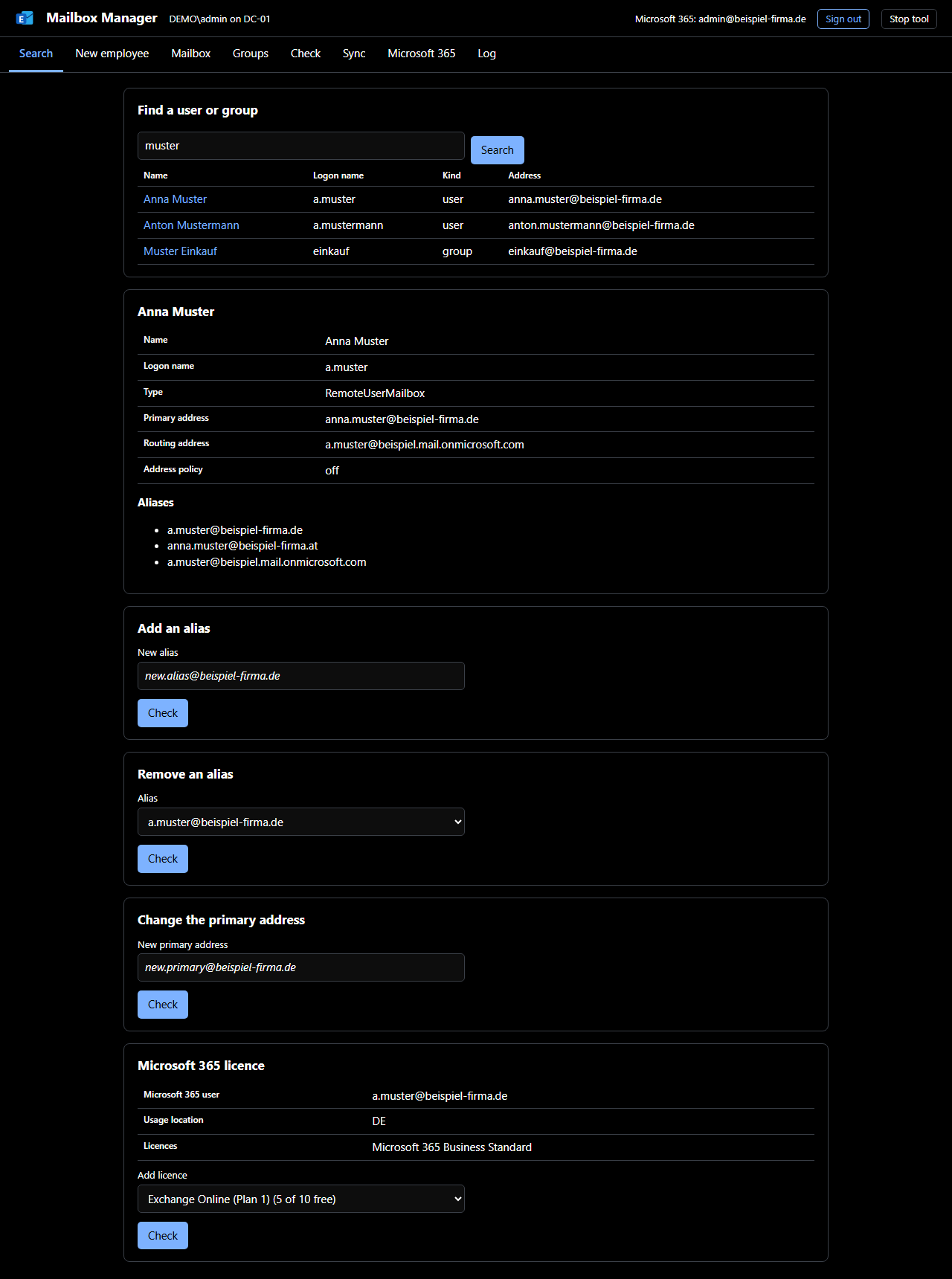
For daily work it was awkward. We created a new employee by copying a colleague in "Active Directory Users and Computers", running a two-line PowerShell script for the cloud mailbox, and then fixing up groups, home drive and aliases by hand. The mistakes you would expect followed. An inventory in November 2026 found 35 unneeded aliases created by the old script and three mailboxes with a wrong routing address. Mail still arrived, but each entry was a trap for the next change.
| Finding on the check page | Count | As of | Measured with |
|---|---|---|---|
| Unneeded aliases from the old script | 35 | November 2026 | "Check" page of the Mailbox Manager, our own AD |
| Mailboxes with a wrong routing address | 3 | November 2026 | same |
| Open findings after the clean-up | 0 | since the clean-up | same |
How the tool is built
The Mailbox Manager consists of one Windows PowerShell 5.1 script and one HTML page. There is no Node process and no web server, and the only thing to install is the Exchange Management Tools, which recipient management needs anyway. It listens on 127.0.0.1 only, and each session has its own key that appears only in the start address.
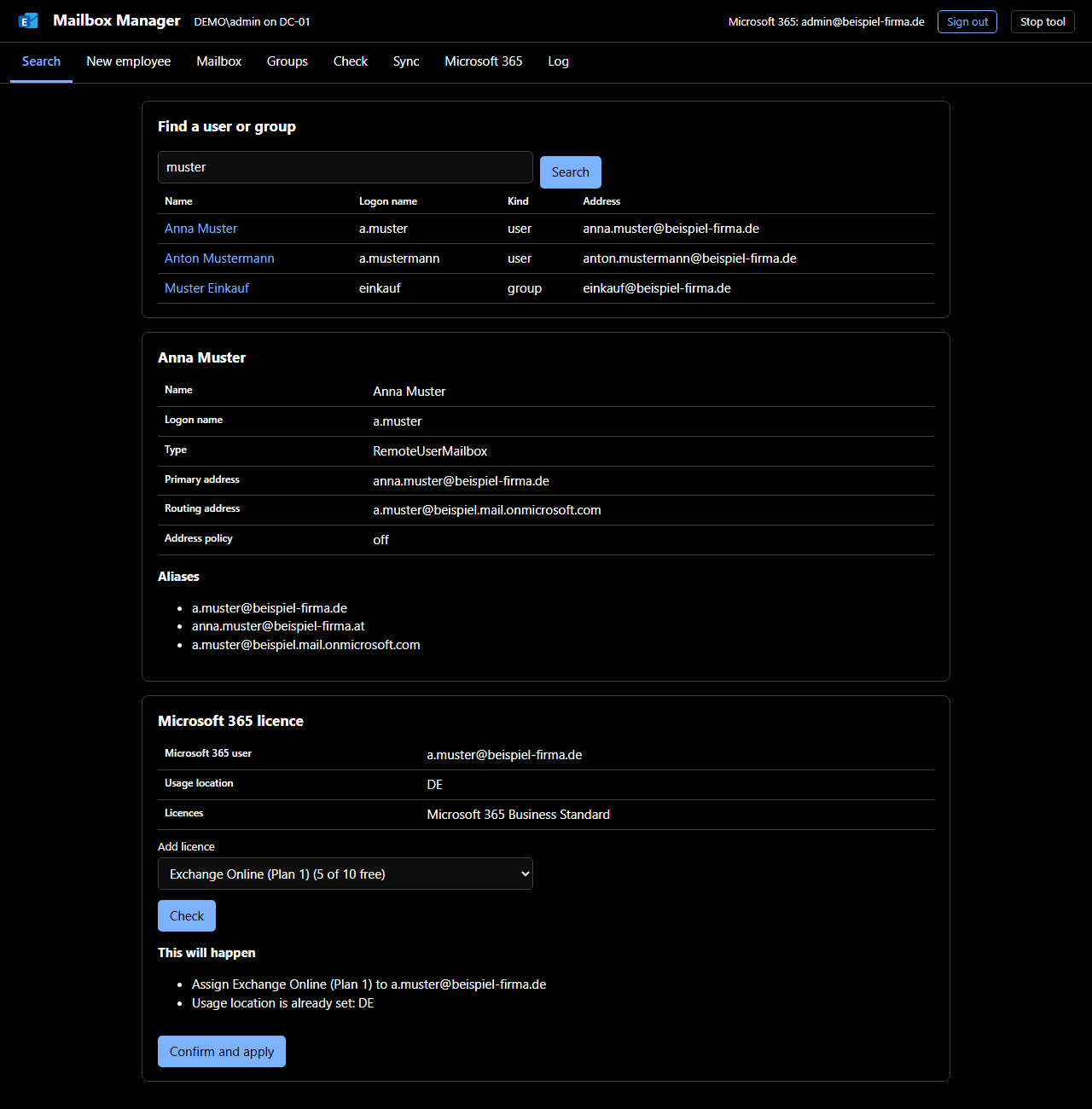
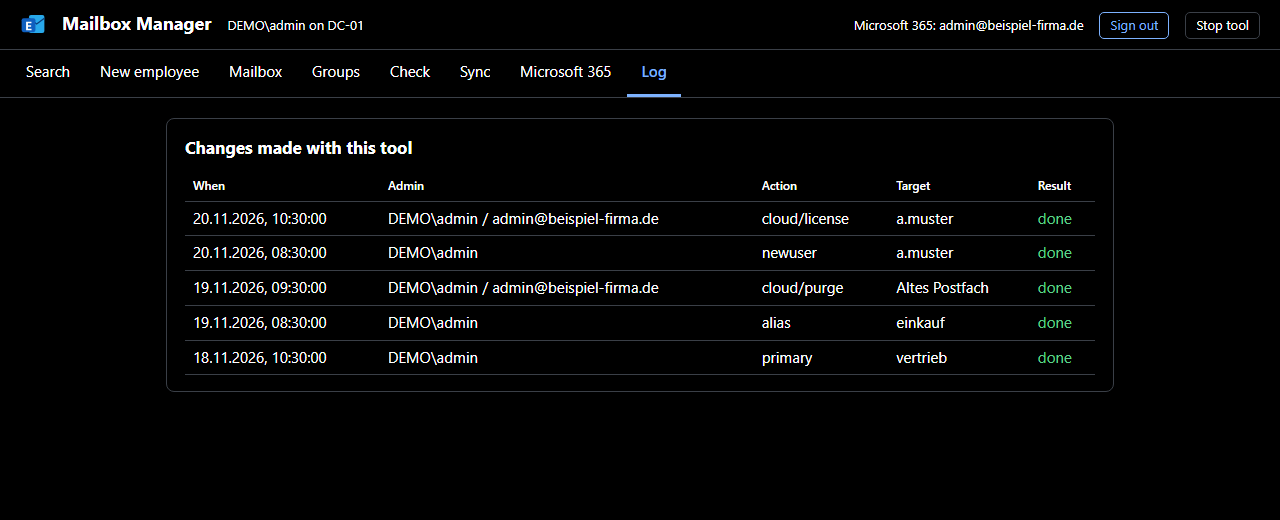
Every change first shows under "This will happen" what is going to occur, and "Confirm and apply" carries it out. The log holds time, administrator, before and after, and the result, never passwords. A read-only switch exists for the rollout and for demos.
A new employee in one step
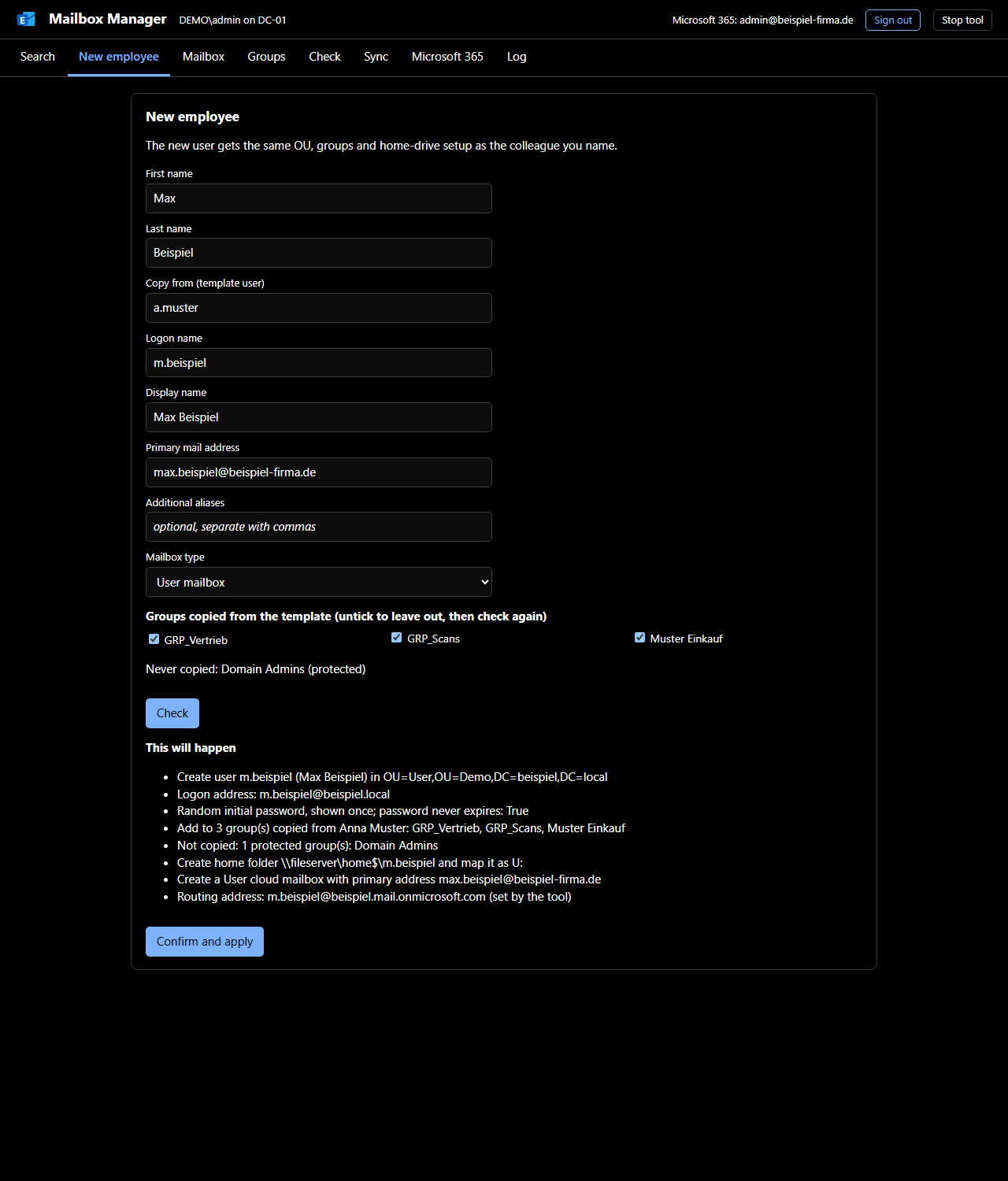
For a new employee you enter first and last name and pick a colleague as template. The tool proposes logon name, display name and mail address, and copies OU, groups and home drive from the template. It never copies protected groups such as Domain Admins. The routing address is always set by the Mailbox Manager, so it can no longer be wrong.
Checking instead of searching
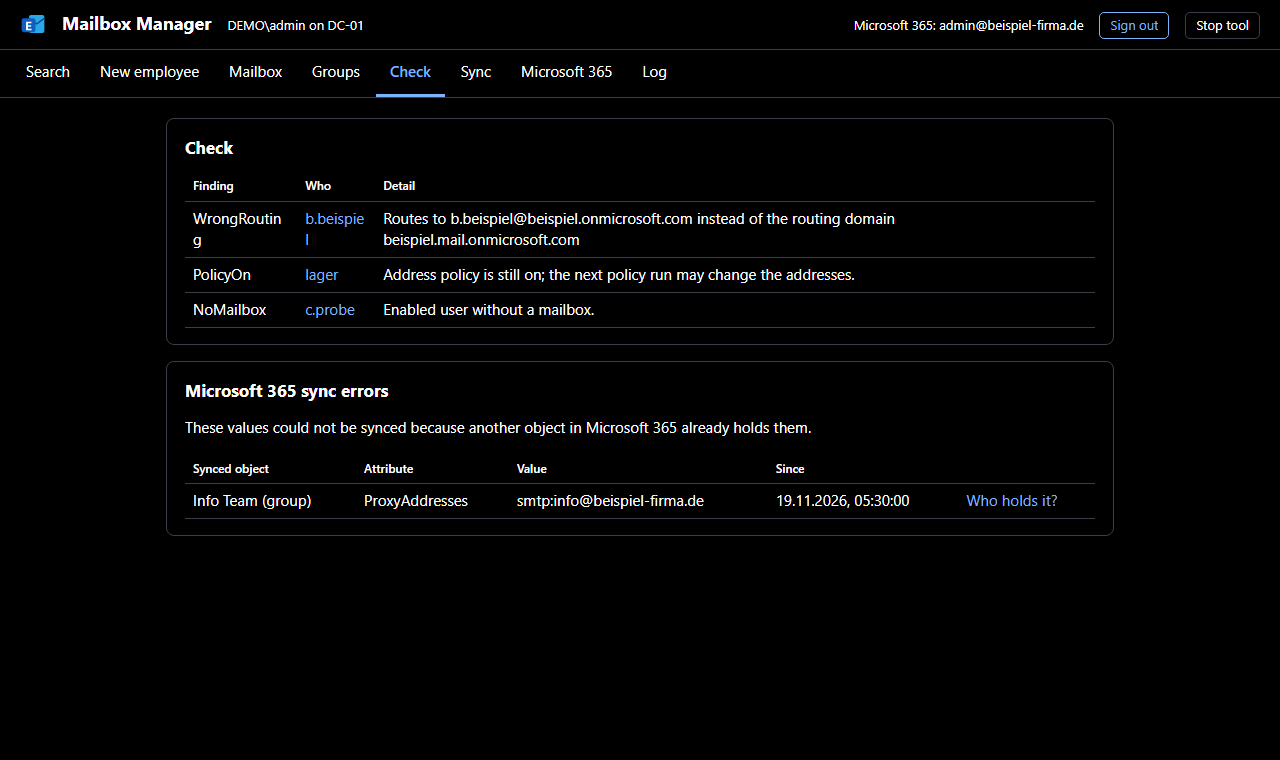
The "Check" page looks for the typical mistakes: wrong routing addresses, address policies still switched on, users without a mailbox. It is how we found the 35 leftovers and the three misrouted mailboxes. The list has been empty since the clean-up.
The cloud side
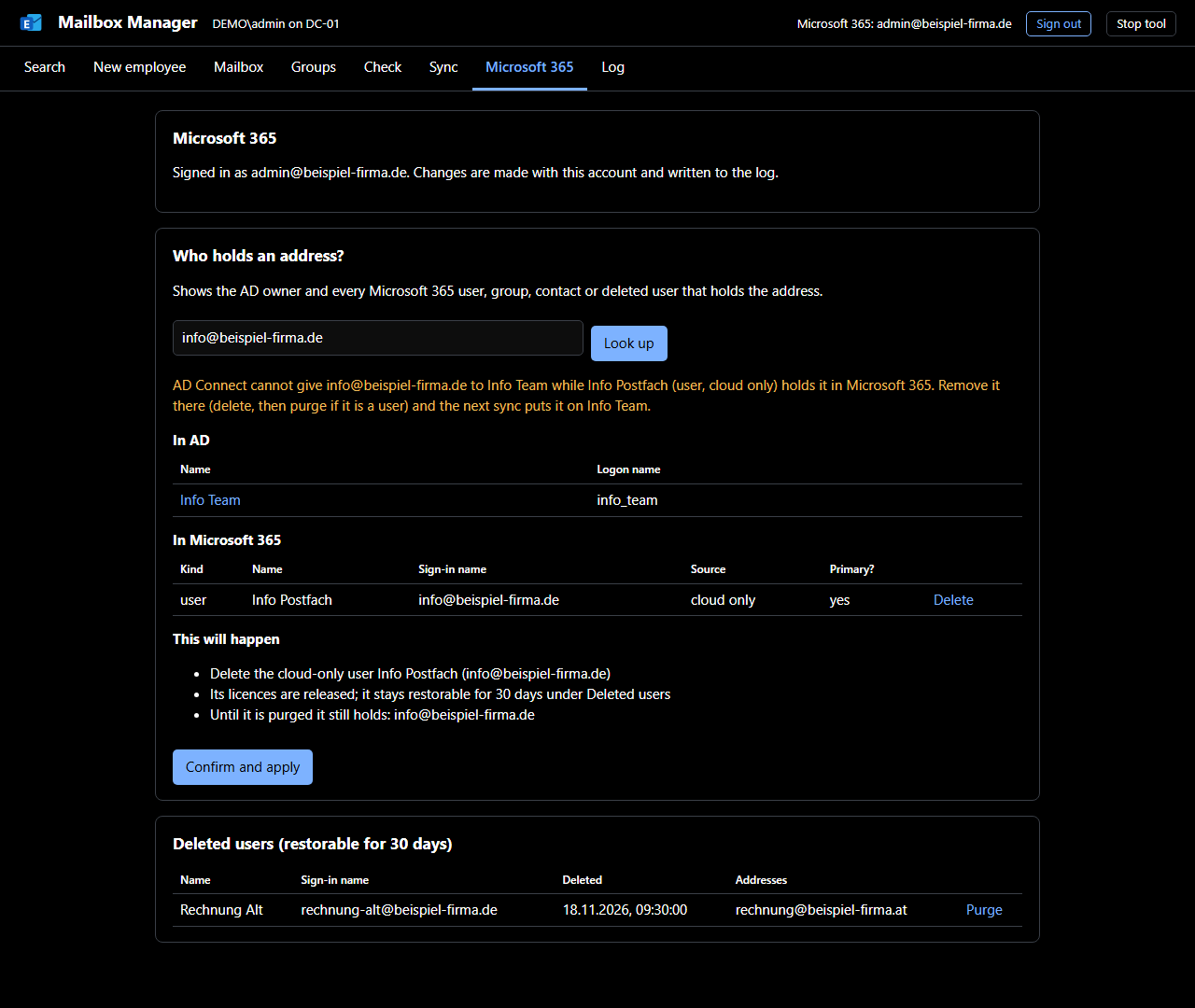
In November 2026 we hit a case the tool could not explain. Entra Connect reported sync errors, but AD was correct. The cause was in the cloud: two cloud-only users held addresses that the sync wanted to give to another object. Microsoft 365 allows an address only once, and while the cloud user holds it, it cannot arrive.
That became the Microsoft 365 part of the Mailbox Manager. The lookup "Who holds this address?" shows the owner in AD and every user, group, contact and deleted user in Microsoft 365 that holds the address. For a conflict, the fix is shown next to it. Sync errors from Microsoft 365 appear on the "Check" page and link to that lookup.
Only cloud-only users can be deleted and purged, never synced ones (those are deleted in AD), never your own account and never a holder of an Entra role. A deleted user keeps its addresses for another 30 days. Only "Purge" releases them, and it asks twice. Licences are assigned directly on the user, and a missing usage location is set along the way.
Sign-in without stored secrets
No secret is stored on the server: no service account, no client secret, no certificate and no app registration of our own. The administrator signs in personally with MFA. The sign-in uses Microsoft's public client application "Microsoft Graph Command Line Tools" and the standard flow for native applications, authorization code with PKCE.
The tool acts with the signed-in administrator's rights and can never do more than their Entra role allows. Access tokens live in memory only and end with "Sign out" or when the tool stops. The web page never sees a token. Next to the local administrator, the log records the Microsoft 365 account that made a change.
What we noticed while building it
Microsoft requires native applications to redirect to http://localhost. A .NET HttpListener with that prefix listened on all network interfaces for us, not only locally. We measured this before using it. Now a small dedicated receiver accepts the answer on 127.0.0.1 and ::1 only, and only during sign-in, for five minutes at most.
A local service must check the Host header as well. Without that check, a web page open in the administrator's browser could have sent requests to the tool by a detour.
Enable-RemoteMailbox with -PrimarySmtpAddress does not apply the address policy, so the new mailbox got only the primary address. The Mailbox Manager therefore sets the routing address itself and switches the policy off explicitly. Deleted also does not mean free: a deleted cloud user blocks its addresses for 30 days, and if you need them now you remove the user permanently.
The "Check" page found more leftovers than any manual pass before it. The roughly 190 automated tests (191 on 6 November 2026) only read and plan, and Microsoft Graph is simulated in them. They can run against the real directory at any time without changing anything.
Status and limits
The on-premises Exchange server is out of service. New employees, mailboxes and addresses go through the Mailbox Manager, and since 6 November 2026 so do cloud conflicts and licences. Not in the tool are disabling and deleting users in AD, resetting passwords and restoring deleted users. Existing tools cover those, and that is how it should stay.
For the background to the switch-off, Exchange Server 2016 and 2019 end of updates covers what applied at the support end in October 2026. More posts on operations and networking sit under servers and network. For tidying up a hybrid environment, IT services is where to start.
Further sources
- Microsoft Learn, Manage recipients in Exchange Hybrid environments using Management tools: the route without a running Exchange server, using PowerShell against on-premises AD. Retrieved on 20 November 2026.
- Microsoft Learn, OAuth 2.0 authorization code flow: authorization code with PKCE for native applications. Retrieved on 20 November 2026.
- Microsoft Learn, Restore or remove a recently deleted user: the 30-day restore window for deleted users. Retrieved on 20 November 2026.
Does a hybrid environment still need an Exchange server?+
Only if you want to use it for recipient management. Microsoft describes a way without a running server: the Exchange Management Tools with the recipient-management snap-in, driven from PowerShell. The route with a server stays supported, and switching it off is optional.
Why does a mail address not arrive in Microsoft 365 through the sync?+
Microsoft 365 allows an address only once. If a cloud-only user, a group or a contact already holds it, Entra Connect reports a sync error even though everything is correct in on-premises AD. The address arrives once the current holder gives it up.
How long does a deleted cloud user block its addresses?+
30 days. According to Microsoft's documentation a deleted user stays restorable for that long. If you need the addresses sooner, remove the user permanently.