 senn-tech
TrueNAS as a File Server Replacement: ZFS Instead of Windows File Server
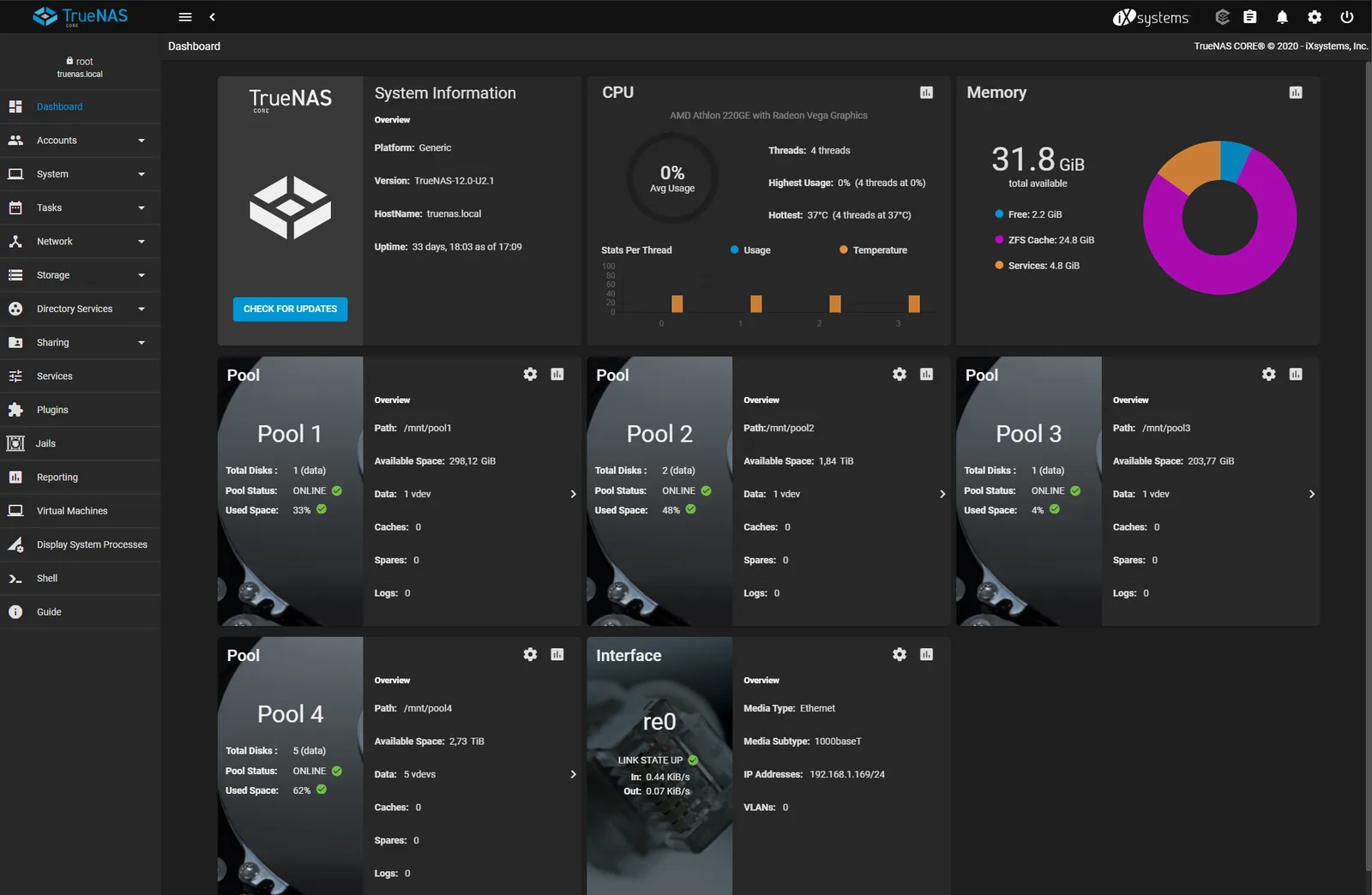
The Windows file server is one of the last bastions that still stands untouched in many SMEs. Yet there is little in its favor and much against it. TrueNAS (now branded as the Community Edition, formerly SCALE) with ZFS is our standard answer.
What’s wrong with the Windows file server
SMB shares work in Windows. But: NTFS is not a copy-on-write file system, snapshots are cumbersome, replication requires DFS-R, and that’s no fun. Add to that license costs, patch days, anti-virus scanners that slow down access to large files.
TrueNAS: ZFS under the hood
ZFS checks data integrity on every read operation via checksum and silently repairs data decay (bit rot) on its own. Compression (lz4) is enabled by default and costs virtually no performance. Frequently accessed data resides in the ARC cache in RAM; hence TrueNAS wants plenty of memory and ECC RAM is strongly recommended.
Pool layout: Mirrors or RAIDZ
Here the most important decision is made, and it can hardly be changed later:
- Mirror vdevs (equivalent to RAID 10) deliver the best IOPS and resilver performance and are easy to expand, our choice for VM- and database-adjacent workloads.
- RAIDZ2 offers more usable capacity with two parity disks, good for classic file serving and archives.
- A single, wide RAIDZ across many disks is the worst choice for random access. Better to use multiple vdevs.
Set up regular scrubs and SMART tests as scheduled tasks, ZFS finds errors only if you let it.
Snapshots = “Previous Versions” for users
Snapshots are instantaneous and consume no extra space, only when data changes.
zfs snapshot tank/freigabe@taeglich-$(date +%Y%m%d)
A snapshot costs nothing. 200 snapshots cost nothing. That changes how you think about data versioning. The real everyday trick: TrueNAS exposes ZFS snapshots as “Previous Versions” (Shadow Copies) in Windows Explorer. Users can restore accidentally deleted files themselves: no ticket, no restore run. Periodic snapshot tasks and replication tasks push incremental snapshots to a second TrueNAS or a standby server.
Migration: How we did it
Created datasets for the old shares, set up SMB shares, transferred ACLs (TrueNAS uses NFSv4-/SMB-ACLs). For domain login, TrueNAS joins the domain via AD-Join: users and groups then come directly from Active Directory. Windows clients notice nothing of the switch; it remains SMB. The difference lies under the hood: checksums, compression, self-healing.
A dedicated dataset per share is the clean variant: This lets you control snapshot rhythm, compression and record size per share.
What TrueNAS cannot do
Replace an Active Directory domain controller. It integrates via AD-Join, but it is not a DC. And: TrueNAS expects you to engage with ZFS concepts; pools, vdevs, datasets are not witchcraft, but must be understood before the first pool is created.
Conclusion
For pure file-serving tasks, TrueNAS is superior to the Windows file server in every discipline, except in AD operation. You save on license costs as a bonus. How TrueNAS replication fits into a clean 3-2-1 backup strategy is explained in the linked article.
Further Reading
Can our users still restore deleted files themselves after the switch?+
TrueNAS exposes ZFS snapshots as "Previous Versions" (Shadow Copies) directly in Windows Explorer. Users restore accidentally deleted or overwritten files themselves, no ticket, no restore run. Since snapshots are instantaneous and only consume space once data changes, you can keep many of them and control the snapshot rhythm per share.
Does TrueNAS replace our Active Directory domain controller?+
No. TrueNAS joins the domain via AD-Join and pulls users and groups directly from Active Directory, but it is not a domain controller itself. Per the article, AD operation is the one discipline where the Windows file server stays superior to TrueNAS, so you still need the DC separately.
What hardware does ZFS require?+
ZFS keeps frequently read data in the ARC cache in RAM, so TrueNAS wants plenty of memory and ECC RAM is strongly recommended. The most important decision is the pool layout: mirror vdevs (RAID 10) for VM and database workloads, RAIDZ2 for archives. It can hardly be changed later. Also schedule regular scrubs and SMART tests.